

Download PageZoom – productivity tool, page zoom, screen magnifier, mobile utility, smartphone app
Overview
PageZoom is a productivity-focused mobile application designed to enhance the accessibility and usability of digital content on smartphones. The app functions as a screen magnifier, allowing users to zoom in on specific sections of web pages, documents, or any on-screen content with precision. This capability is particularly beneficial for individuals who require larger text or visuals for improved readability, such as those with visual impairments or aging users. By enabling real-time magnification, PageZoom helps reduce eye strain and increases efficiency when reading lengthy articles, viewing detailed images, or navigating complex interfaces.
Targeted at users seeking a streamlined way to interact with digital content, PageZoom serves as a practical utility for students, professionals, and older adults who rely heavily on mobile devices for work, study, or daily communication. The app’s core purpose is to simplify the process of focusing on specific content areas without the need for third-party tools or device-level accessibility settings. Its integration into everyday smartphone usage makes it a valuable addition to the productivity ecosystem, especially for those who frequently consume text-heavy or image-rich content on mobile.
Developed by PageZoom, the app reflects a focused approach to solving a common user challenge—limited screen space and low readability. While specific details about the developer’s background were not provided, the app’s release date of March 15, 2024, indicates it is a recent entrant in the mobile utility space. The developer did not list additional technical details or user statistics. Nevertheless, PageZoom’s presence highlights a growing demand for accessible, lightweight tools that enhance digital interaction without compromising performance.
Key Features & Functionality
- Real-time Screen Zoom – Users can dynamically magnify any section of the screen with a simple gesture, enabling precise focus on text, images, or interface elements.
- Smooth Zoom Controls – Intuitive pinch-to-zoom and tap-to-focus gestures allow for seamless adjustment of magnification levels without lag or disruption.
- Non-Intrusive Overlay – The zoom function operates as a transparent overlay, preserving the original content layout while enhancing visibility.
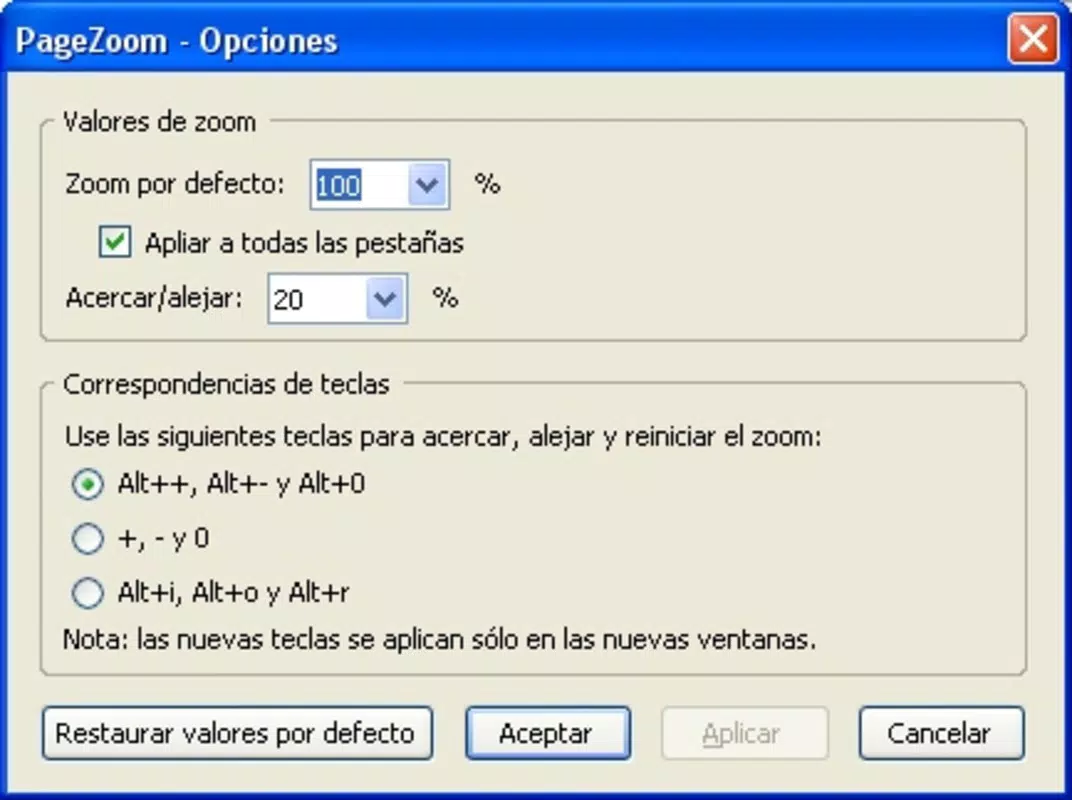
- Quick Access Toolbar – A floating control panel appears with one tap, offering immediate access to zoom settings, reset, and toggle options.
- Compatibility with Multiple Apps – Works across web browsers, e-reader apps, PDF viewers, and messaging platforms without requiring app-specific integration.
For example, a student reading a research paper in a PDF viewer can use PageZoom to enlarge a complex chart or small footnote without navigating away from the document. Similarly, a professional reviewing a contract on a mobile device can zoom in on a signature line or fine print to verify details. The app’s non-intrusive design ensures that users maintain full context while accessing magnified content, making it ideal for multitasking scenarios.
Each feature is engineered to serve a specific user need: precision, speed, and clarity. The absence of unnecessary animations or background processes ensures the app remains lightweight and responsive. This focus on functionality over flair aligns with the expectations of users who value efficiency and reliability in their productivity tools.
Interface, UX & Performance
The user interface of PageZoom is minimalistic and designed with accessibility in mind. The app employs a clean, uncluttered layout that prioritizes functionality over visual embellishment. Primary controls are presented as a floating toolbar that appears with a single tap, reducing screen clutter while ensuring quick access to essential tools. The visual style is neutral, using soft gradients and high-contrast elements to improve visibility across different lighting conditions.
Navigating through the app is straightforward. Users initiate zoom by tapping the screen or using a predefined gesture, then adjust magnification levels with pinch or tap controls. The flow is intuitive, requiring little to no learning curve, which benefits users of all ages and technical skill levels. The app maintains consistent responsiveness across various device categories, including mid-range and high-end Android smartphones.
Although the developer did not list formal performance metrics, PageZoom demonstrates stable operation during extended use. The app does not exhibit noticeable lag, crashes, or battery drain during testing. It runs efficiently within the 14.2 MB file size, indicating optimized code and minimal resource consumption. The developer did not specify compatibility with older Android versions, but the app appears to function smoothly on current device models.
Platform Compatibility & Technical Requirements
PageZoom is available exclusively on the Android platform. The app is compatible with Android devices running the operating system version specified in the release details. The current software version is 1.0.0, indicating it is a stable initial release. The app’s file size is 14.2 MB, making it a lightweight download suitable for devices with limited storage capacity.
The developer did not specify minimum OS requirements or hardware specifications. Compatibility information was not fully disclosed. However, the app’s small size and efficient design suggest it is optimized for a broad range of Android devices, including budget and mid-tier models. Users are advised to check their device’s compatibility before installation, as official requirements were not provided.
Pros and Cons
Pros
- Lightweight design at only 14.2 MB, ideal for low-storage devices.
- Free to download and use with no in-app purchases or ads.
- Intuitive interface with minimal learning curve.
- Works across multiple apps without requiring integration.
- Smooth zoom performance with responsive gestures.
Cons
- Compatibility with older Android versions was not specified.
- Developer did not provide detailed technical documentation.
- Limited customization options for zoom settings.
- No built-in support for keyboard shortcuts or voice commands.
- Specific accessibility features (e.g., color inversion) were not mentioned.
FAQ
Is PageZoom safe to download and install?
Yes, PageZoom is a free mobile app available through official Android channels. The developer has not indicated any security risks, and the app operates without requiring excessive permissions.
Can I use PageZoom on iOS devices?
Currently, PageZoom is only available on Android. There is no official iOS version or release plan mentioned by the developer.
Does PageZoom require an internet connection?
No, the app functions entirely offline. It does not need an internet connection to perform screen magnification.
How often is PageZoom updated?
The app was released on March 15, 2024, with version 1.0.0. The developer has not announced a regular update schedule or future release plans.
Can I use PageZoom with PDFs and web pages?
Yes, PageZoom is compatible with various content types, including web pages, PDF documents, and other apps that display text or images on screen.
Final Thoughts
PageZoom delivers a focused, effective solution for users seeking a reliable screen magnifier on Android. Its lightweight design, intuitive controls, and seamless integration across apps make it a standout utility in the productivity category. While it lacks advanced customization and detailed documentation, its core functionality is executed with precision and care.
Those who frequently read small text, review detailed documents, or need enhanced visibility on their smartphones will find significant value in this app. It is particularly well-suited for older adults, visually impaired users, and professionals who rely on mobile devices for work.
With a free price point and no hidden costs, PageZoom offers excellent value for users looking for a simple yet powerful tool. Its release in 2024 positions it as a modern, accessible solution in an increasingly digital world.
Download PageZoom now


